
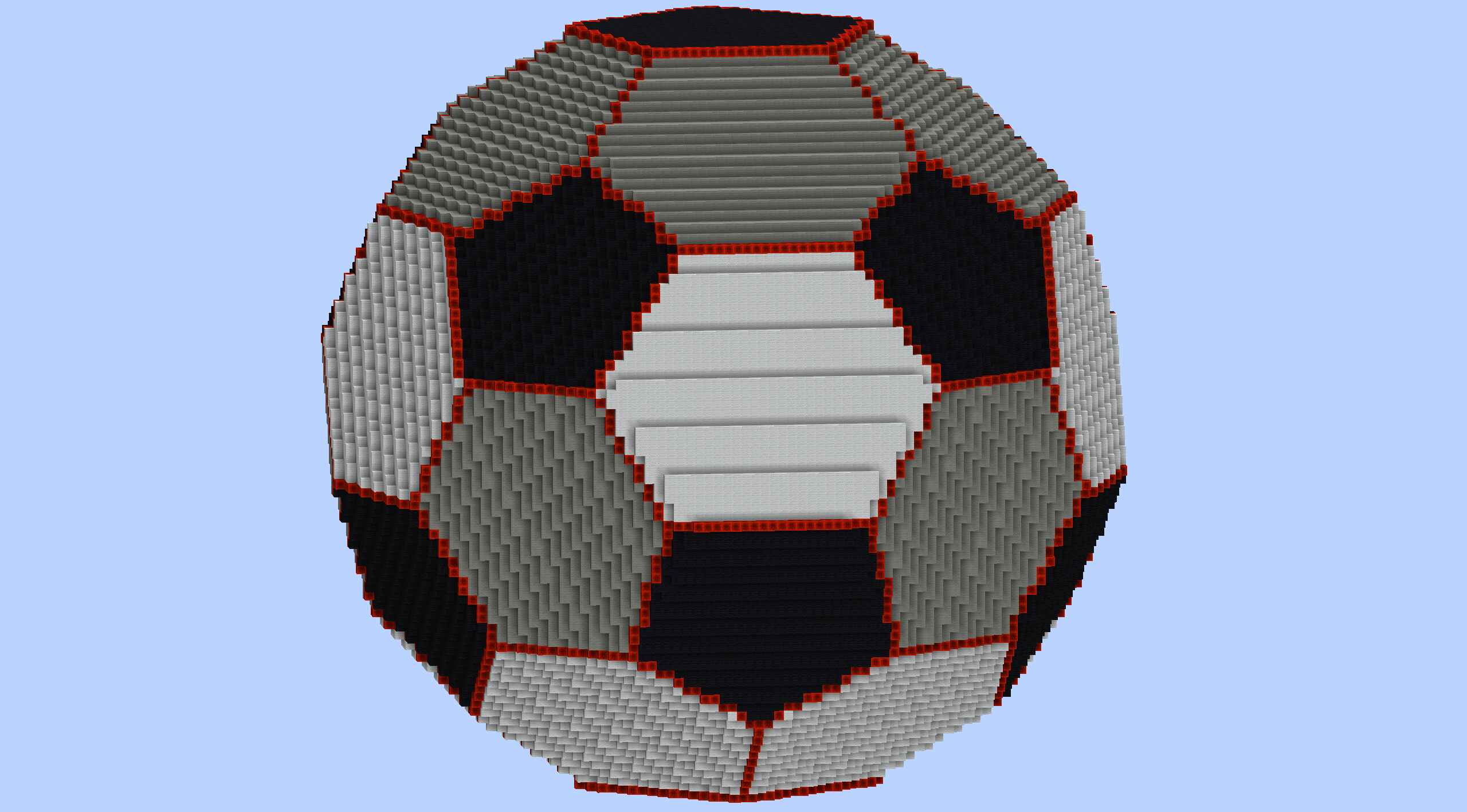
ICO SPHERE FOOTBALL (World Edit //generate guide)
A somewhat spiky football, or cool shape in general. Thank you to the anonymous Reddit user who posted the method to generate the base shape 4 YEARS ago! Mathematically, it’d be the 20-face icosahedron truncated to a total 32-faces seen on a soccer ball!
I reposted and expanded/adapted the method in case the original, low-viewed Imgur post goes down:
Generate the bare 3D shape (Pure World Edit):
Unlike normal generations, this method requires you to set your selection to a solid block, and generate shapes made of AIR to cut it and form the final shape! Make a selection (I did 101×101) and carry out this order of WORLD EDIT generation commands:
- //g air (-0.93417*x+-0.18759*y+0.30353*z>=0.77933)||(-0.93417*x+0.18759*y+-0.30353*z>=0.77933)||(-0.57735*x+-0.79465*y+0.18759*z>=0.77933)||(-0.57735*x+-0.18759*y+-0.79465*z>=0.77933)||(-0.57735*x+-0.18759*y+-0.79465*z>=0.77933)
- //g air (-0.57735*x+0.18759*y+0.79465*z>=0.77933)||(-0.57735*x+0.18759*y+0.79465*z>=0.77933)||(-0.57735*x+0.79465*y+-0.18759*z>=0.77933)||(-0.35682*x+-0.79465*y+-0.49112*z>=0.77933)||(-0.35682*x+0.79465*y+0.49112*z>=0.77933)
- //g air (0*x+-0.79465*y+0.60706*z>=0.77933)||(0*x+-0.18759*y+0.98225*z>=0.77933)||(0*x+0.18759*y+-0.98225*z>=0.77933)||(0*x+0.79465*y+-0.60706*z>=0.77933)||(0.35682*x+-0.79465*y+-0.49112*z>=0.77933)
- //g air (0.35682*x+0.79465*y+0.49112*z>=0.77933)||(0.57735*x+-0.79465*y+0.18759*z>=0.77933)||(0.57735*x+-0.18759*y+-0.79465*z>=0.77933)||(0.57735*x+-0.18759*y+-0.79465*z>=0.77933)||(0.57735*x+0.18759*y+0.79465*z>=0.77933)
- //g air (0.57735*x+0.18759*y+0.79465*z>=0.77933)||(0.57735*x+0.79465*y+-0.18759*z>=0.77933)||(0.93417*x+-0.18759*y+0.30353*z>=0.77933)||(0.93417*x+0.18759*y+-0.30353*z>=0.77933)
These look scary, but it's mathematic coordinates and such... More info in my post of generating shapes with W/E!World Edit’s shape //generation how-to [Math formula list & tips]
To cut off the vertices (“corners”) into the final shape, follow up with these:
- //g air (-1*y>=0.8)||(-0.44721*y+-0.89443*z>=0.8)||(0.44721*y+0.89443*z>=0.8)||(1*y>=0.8)||(0.52573*x+-0.44721*y+0.72361*z>=0.8)
- //g air (-0.52573*x+-0.44721*y+0.72361*z>=0.8)||(0.52573*x+0.44721*y+-0.72361*z>=0.8)||(-0.52573*x+0.44721*y+-0.72361*z>=0.8)||(-0.85065*x+0.44721*y+0.27639*z>=0.8)||(-0.85065*x+-0.44721*y+-0.27639*z>=0.8)
- //g air (0.85065*x+0.44721*y+0.27639*z>=0.8)||(0.85065*x+-0.44721*y+-0.27639*z>=0.8)
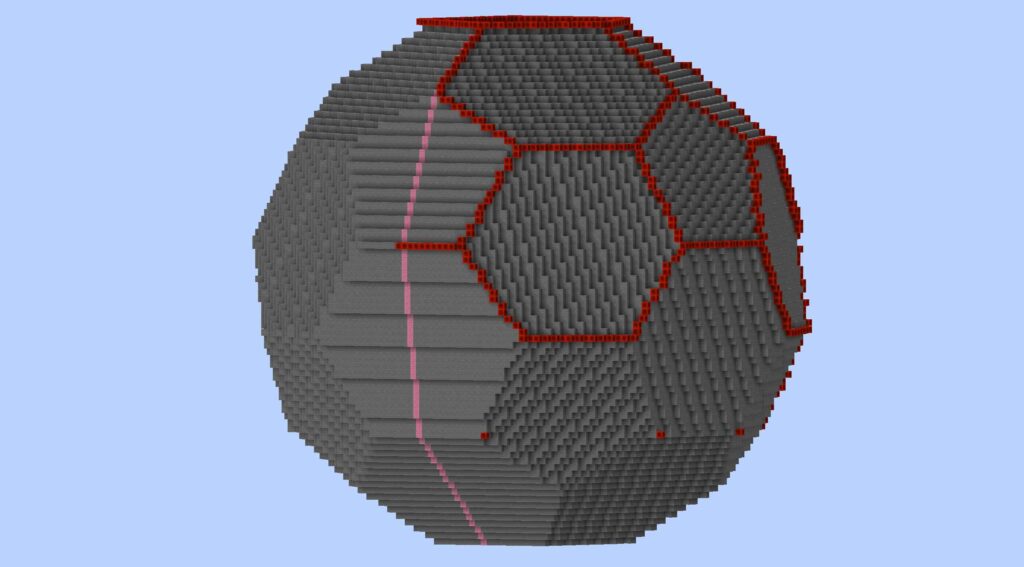
Football design Method #1 (For multi-color faces)
[I did this to one half of the “football” and flipped it for the other side]
- I used the extra World Edit arguments provided by FAWE to hollow the shape out: //replace !#surface 0 (//hollow is messy)
- Next I manually marked the verticies and connected them to create a net of redstone block edges.
- I masked the following to affect only [air] that is [next to stone]: //gmask [0]&[~1]
- Finally I used the loft tool in ARCEON to select each polygon/hexagon and create their shapes with loft (+ manual fixing).
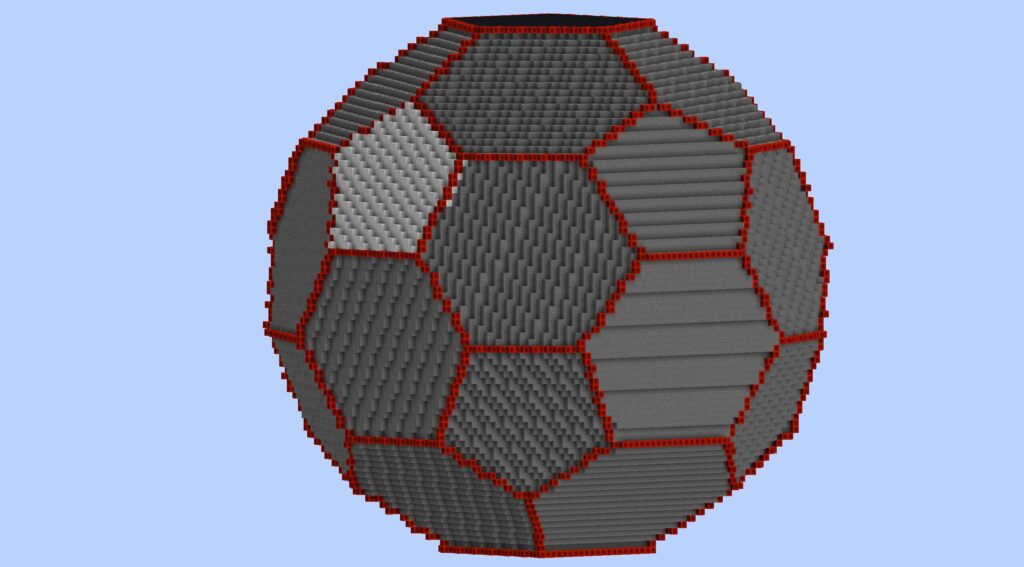
Football design Method #2 (Alternative, no Arceon)
[I did this to one half of the “football” and flipped it for the other side]
It hit me too late that I could’ve just left the shape filled (or re-fill it with something), then //gmask air and //replace ~1 white_wool
Thus replacing the air blocks around the outside to create an instant shell (with FAWE). However, this method would require me to manually select the faces I want to color later on, which would’ve been a pain so only do this shortcut for a one-color solid shell.
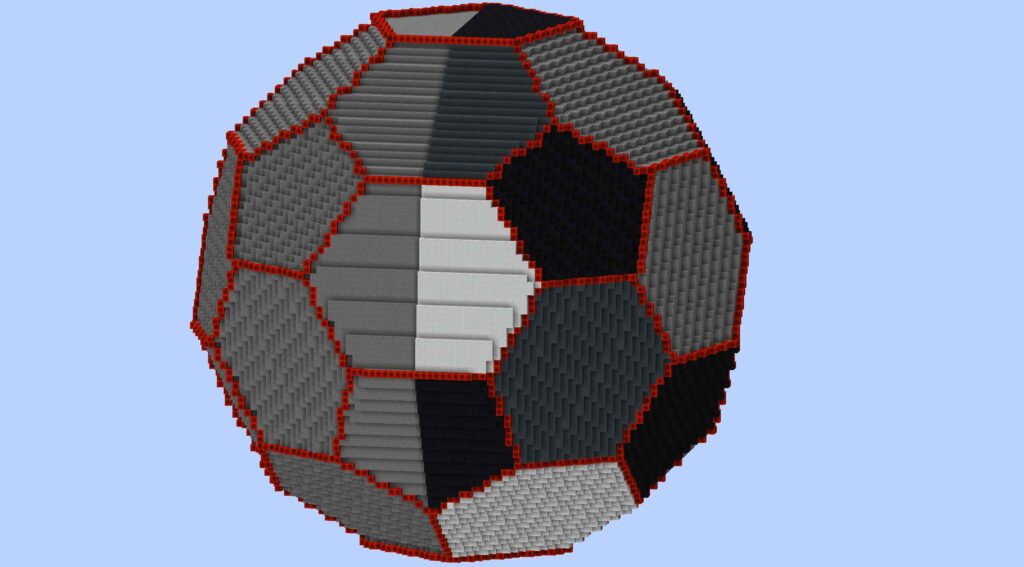
From here you can do any number of complex World Edit (etc) masks and commands to make it even more football-like!
No comments yet.